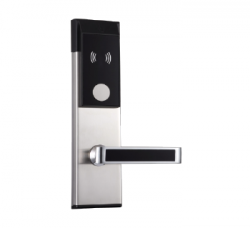
Battery Life Secrets And How to Maximize Your Smart Lock’s Power
Smart locks make life easier by letting you lock and unlock doors without keys. But like any device that runs on batteries, they need power to keep working. If you’ve ever had your smart lock system run out of battery at the wrong time, you know how frustrating it can be.
The good news is that there are simple ways to make your smart lock’s battery last longer, including:
Choose the Right Batteries:
Not all batteries are the same. Using high-quality alkaline batteries can make a big difference in how long your smart lock lasts. Some smart locks also work better with lithium batteries, which perform well in both hot and cold weather. Rechargeable batteries may sound like a good idea, but many smart locks don’t support them because they can lose power faster. Always check which type of battery your lock works best with.
Limit Unnecessary Features:
Many smart locks come with features like auto-lock, voice control, or constant Wi-Fi connection. While these features are helpful, they can also use up battery faster. If you don’t need a certain feature all the time, consider turning it off. For example, if you don’t use auto-lock often, switching it off can help the battery last longer. The same goes for things like LED lights and sound effects. Every little bit of power saved adds up over time.
Keep Firmware Updated:
Smart lock companies often release updates that help improve performance and fix problems. Some updates can even make the battery last longer by improving how the lock uses power. Check the app that comes with your smart lock every now and then to see if there are updates available. Keeping the system up to date can help your lock run more smoothly and use less battery.
Check for Signal Strength:
If your smart lock is always trying to stay connected to a weak Wi-Fi or Bluetooth signal, it may use more power. Place your Wi-Fi router or smart home hub closer to the door, if possible. A strong connection helps the lock communicate better and saves battery by reducing the number of times it needs to reconnect.
Watch for Low Battery Warnings:
Most smart locks will give you a warning when the battery is getting low. Don’t ignore it. Replacing the batteries before they die completely can help prevent lockouts and protect the lock’s internal parts from damage.
With a few small changes, you can get more out of your smart lock’s battery and avoid the stress of losing access at the wrong time.